
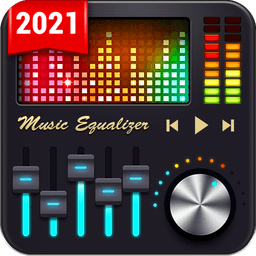
Equalizer - Music Bass Booster
Screenshots
About Equalizer - Music Bass Booster
Transform your music experience with Equalizer - Music Bass Booster, the professional audio tool that puts you in complete control of your sound. Whether you're streaming your favorite tracks or enjoying a personal music library, this app delivers studio-quality audio enhancement with intuitive controls and stunning visual feedback.
Take command of every frequency with the five-band equalizer, letting you craft a custom sound profile that matches your taste. Choose from 10 professionally tuned presets designed for specific music genres—Hip-hop, Rock, Dance, Pop, Latin, Metal, Classical, Flat, Normal, and Custom—so you can instantly optimize playback for any style. Save your personal settings to switch between them effortlessly, or dive deeper as a music editor to fine-tune each band precisely.
Experience noticeable improvements in audio quality through advanced bass boost and virtualizer effects. Powered by professional audio decoding technology, these tools amplify low-end punch and create spatial depth, revealing details in your music you may have never heard before. The bass amplifier works in harmony with the equalizer to deliver powerful, clean sound without distortion.
Watch your music come alive with dual visual feedback. A stereo LED VU meter displays real-time volume levels in mesmerizing precision, while the dynamic sound spectrum visualizer dances to your audio's rhythm. These animated displays sync perfectly with what you hear, creating an immersive feast for both eyes and ears—especially stunning when using headphones for optimal effect.
Stay connected to your music with integrated player controls. View song titles and artist names while managing playback with play, pause, next, and previous buttons, all accessible without leaving the equalizer interface. Navigate your music library seamlessly while adjusting sound on the fly.
Every feature is completely free to use. Equalizer - Music Bass Booster is designed for anyone who wants professional-grade audio control without subscriptions or hidden costs. Simply download, customize your sound preferences, and start enjoying music the way you want to hear it.
Pros & Cons
Pros
- Five-band equalizer with ten genre-specific presets for quick audio optimization
- Real-time stereo LED VU meter and sound spectrum visualizer create engaging visual feedback
- Bass boost and virtualizer effects enhance low-end punch and spatial depth
- Completely free with no subscriptions or hidden costs
Cons
- Bass amplification may introduce distortion on some devices or audio sources
- Visualizers and real-time effects processing can consume battery during extended use
- Audio enhancement quality depends on your device's hardware capabilities and limitations
- No mention of cloud sync to preserve equalizer settings across devices
Related Apps

HWiNFO
Hardware monitoring for Windows—track CPU temp, GPU load, fan speed, voltage in real time.

TransMac
Read Mac drives and DMG files on Windows. Access APFS/HFS+ storage and create disk images.

Advanced SystemCare Free
System optimization tool: clean, repair, and secure your PC. Remove malware, fix errors, and boost performance.

Display Driver Uninstaller (DDU)
Driver uninstaller for GPU and audio — removes residual files for clean Windows updates

Glary Utilities
PC maintenance and optimization suite — clean, repair, and speed up your Windows computer in one action.

Universal ADB Drivers
ADB drivers for Android: Connect any smartphone to Windows PC without manufacturer software.
Latest Articles

Play a free Color Ball Sort Puzzle-style game in your browser (no download)
Oct 6, 2026

Play a free Beach Buggy Racing-style kart racer in your browser (no download)
Oct 6, 2026

Play a free Alto's Adventure-style game in your browser (no download)
Oct 6, 2026

Free online whiteboard like Jamboard: use Quickboard in your browser, no signup
Oct 6, 2026

Free online running pace calculator: splits, race predictor and daily challenge, no download
Oct 6, 2026